Keep containerlab. Get more from your lab host.
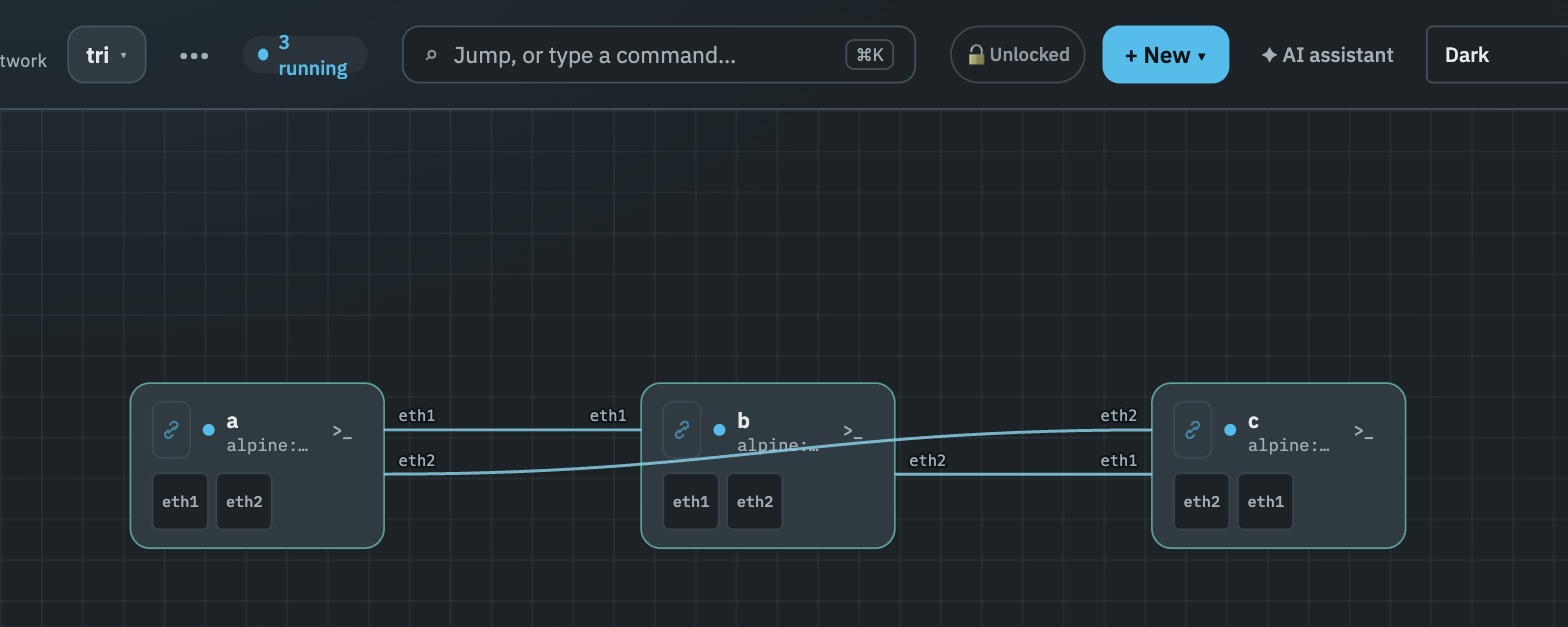
Keep your .clab.yml and your deployment workflow. Labtris can discover the running containers on its Docker daemon and add a browser canvas and consoles.
Running out of RAM? On supported native installs, Labtris configures Linux memory deduplication and shows the savings. Check the workload and host requirements before expecting a reduction.
Start with one existing lab.
1. Use the same Docker daemon
With a native or ISO installation, run containerlab on the Labtris host. Deploy one small lab and open the lab switcher in the browser.
containerlab deploy -t topo.clab.yml2. Check the container install path
Compose uses an inner Docker daemon. containerlab must join the instance’s network and PID namespaces and use that daemon. Running it against your host Docker will not discover the lab here.
Pointing DOCKER_HOST at a remote daemon is insufficient: containerlab wires interfaces locally through netlink. The deployment process must run in the namespace where its nodes live.
What changes if you switch.
The differences worth knowing before reading anything else. The concept map further down answers the other question — where each thing you already use ended up.
- containerlab
- The .clab.yml is the deployment source.
- Labtris
- Yes, for adopted labs. Keep deploying with containerlab; Labtris stores its view in a database. Canvas changes do not round-trip to your YAML.
- containerlab
- Depends on image footprint and host tuning. Linux KSM can be configured here too.
- Labtris
- Supported native installs configure KSM and runtime opt-in. The 931-node FRR capacity run is published; a matched saving versus containerlab is still unmeasured.
- containerlab
- Available through containerlab’s tooling.
- Labtris
- Included in the server. Running nodes on its Docker daemon are discovered.
- containerlab
- Use containerlab’s existing tools.
- Labtris
- Available on Labtris-managed links. Adopted links currently lack Labtris capture, impairment and link statistics.
- containerlab
- containerlab supplies the vendor-specific startup logic.
- Labtris
- Preserved when containerlab deploys and Labtris adopts the containers. YAML import alone has a narrower runtime mapping.
- containerlab
- A CLI and its host runtime.
- Labtris
- One command on Ubuntu, or one compose file. The container path requires shared namespaces; host memory tuning needs separate verification.
The network emulator is MIT licensed. Licence price is not the reason to move from a permissively licensed containerlab setup. Start with the workflow or host constraint you want to improve.
Keep using these ideas.
- Keep .clab.yml as the deployment source in git. Labtris discovery does not require converting the file.
- Keep containerlab's vendor kinds and boot logic when containerlab deploys the nodes.
- Keep using the CLI and your existing automation; adoption is an additional view of the running lab.
The reasons to look elsewhere.
- A large lab can run out of host RAM. Check actual KSM coverage, saved bytes and startup peaks before deciding how much the host can hold.
- Shared access can require several tools and host accounts. Labtris supplies a browser workspace with its own users.
- For native VM workflows, Labtris offers QEMU/KVM and hot VM snapshots; converting an existing VM-based topology still needs compatibility checks.
What you know, and what it’s called here.
Same primitives, mostly. A few things are actually different — those get their own row.
- Deployment source
- clab
- .clab.yml in git
- Labtris
- Keep it for adopted labs. Native Labtris labs are stored separately, with no automatic YAML round-trip.
- Running containers
- clab
- Created and managed by containerlab
- Labtris
- The same containers, discovered on the Docker daemon Labtris uses; consoles and exec attach to them.
- Wiring
- clab
- Created through netlink in the local namespace
- Labtris
- Readable YAML or veth-peer inspection supplies the drawing. Adopted host interfaces are not managed by netd.
- Memory
- clab
- Determined by the image, workload, runtime and host tuning
- Labtris
- KSM configuration on supported native installs, plus host diagnostics. Measure with equivalent tuning.
- Native QEMU
- clab
- VM-based kinds use a container launcher
- Labtris
- A separate QEMU/KVM runtime with VM snapshots. Extraction from vrnetlab is available; check the imported settings.
- Shared access
- clab
- Use the available API and GUI tools
- Labtris
- Browser access with application accounts and roles.
Importing existing topologies.
Discover an existing deployment. Use the same Docker daemon and namespace described above. Labtris reads the topology file if it is accessible, otherwise it infers links from veth peers. File-only information, including startup config and kind details, cannot always be recovered. A redeploy repoints the existing lab; a destroy marks its nodes stopped.
Import YAML as a new Labtris lab. Linux, docker and host kinds map to a runtime today. Bridge and ovs-bridge kinds become network segments. Other vendor kinds, including nokia_srlinux and arista_ceos, arrive as labelled placeholders with warnings. Importing the shape does not make them runnable.
Convert a vrnetlab image. labtris-image from-vrnetlab extracts the disk and launcher settings for the native QEMU path. Check RAM, CPU, NIC model, interface mapping and saved configuration before relying on the converted appliance.
Measure your actual images.
The published capacity run is 245 FRR switches and 686 hosts in a reported 18 GB. It does not predict the footprint of a vendor NOS or establish a reduction against the same lab in containerlab.
Compare containerlab defaults, containerlab with equivalent KSM tuning, and the full Labtris installation on the same host. Include startup peaks, convergence, settled RAM and scanner CPU.
Install
One command on Ubuntu 24.04 or 26.04, one compose file anywhere Docker runs. MIT, no telemetry.